This MyFitnessPal GLP-1 review is most useful for deciding whether a food-first diary fits the routine you actually keep.
What this app is best for
MyFitnessPal describes a food database, meal search, barcode and meal scanning, macro and water tracking, recipes, and fitness integrations. Its GLP-1 support materials add dose logs, reminders, and side-effect records, and that support article describes the GLP-1 feature as available to U.S. English users in the app.
That combination points to a specific kind of user: someone whose record starts with what they ate and grows outward from there. The GLP-1 layer lives inside the daily diary, so the medication context sits beside meals, water, and activity instead of leading the record. If your weekly question is "what did I eat, and how did it add up," a food-first design keeps the answer close. If your question is usually "when did I take the dose, at what strength, and what followed," you will want to weigh that priority before committing.
How this review evaluates the app
For MyFitnessPal, the deciding issue is not simply whether an app can store a dose record. It is whether meals are already the center of the record you want to revisit. This review looks at five fit questions: how food goes in, what nutrition context comes back, where the GLP-1 layer sits, whether the surrounding activity record helps, and whether the feature is available in your own setup.
| Review question | What a good answer looks like | Where MyFitnessPal GLP-1 fits based on current materials |
|---|---|---|
| What record does it center on? | A clear primary job you can name in one sentence | The food diary: a food database, meal search, and barcode and meal scanning |
| Does it cover daily nutrition detail? | Enough detail to answer your usual food questions | Macro and water tracking plus recipes are described in the product materials |
| Does it carry medication context? | Dose history and reminders alongside the daily record | GLP-1 dose logs, reminders, and side-effect records are described |
| Does it connect to the rest of your routine? | Activity data in the same record | Fitness integrations and broad mobile and wearable availability are described |
| Does the GLP-1 feature fit your setup? | Available where and how you will use it | The GLP-1 support article describes the feature as limited to U.S. English users in the app |
Think of the table as a current-fit test, not a promise that every feature is available everywhere. Store listings, subscriptions, language support, and app versions change. Confirm the present terms in your own app before you move an established routine, then use the GLP-1 tracker comparison if you are still deciding whether food, medication history, or one connected record should lead.
Core workflow and verified features
The described loop begins with a meal: find or scan food, add it to the diary, review the total, and keep related water, recipe, activity, and GLP-1 entries in the surrounding day. That is a different starting point from a medication tracker, where the dose event is the first object in the record.
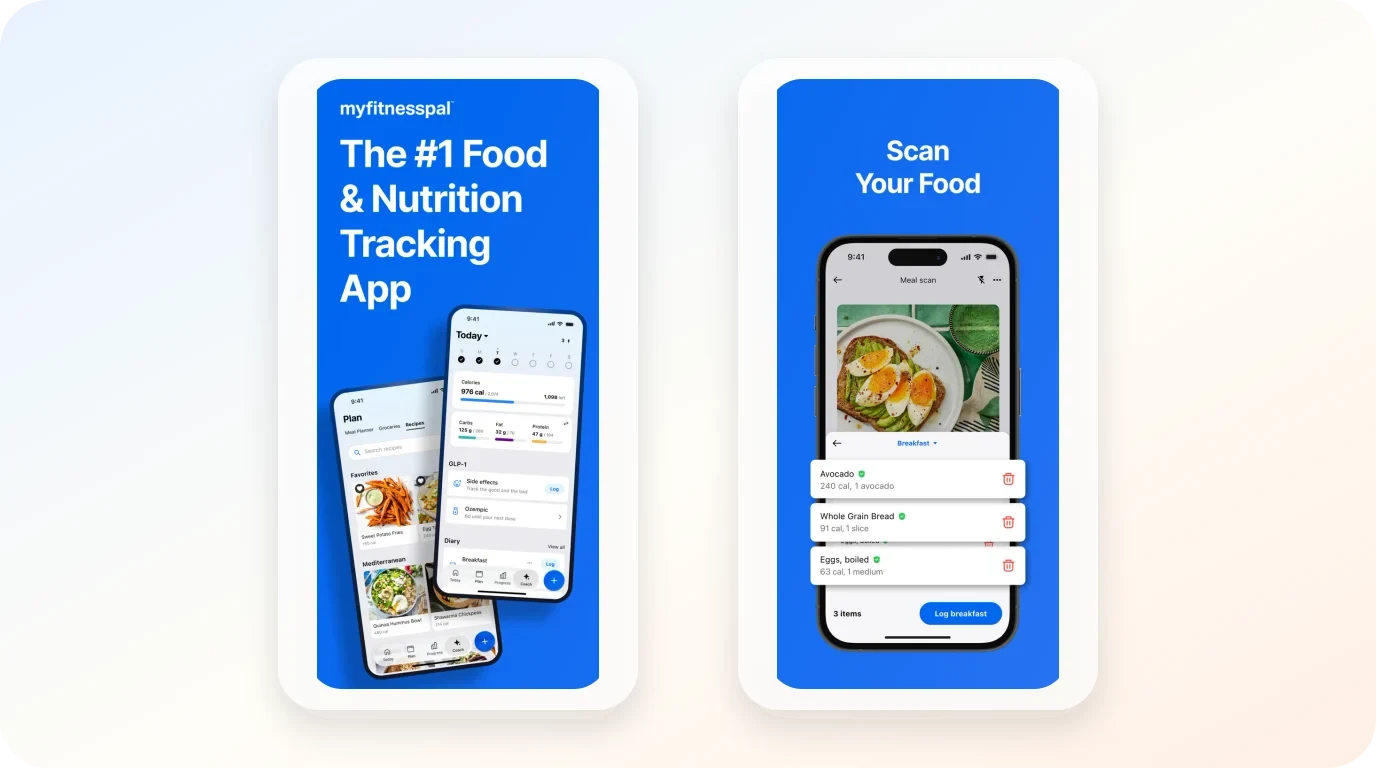
Current public materials point to four parts of that food-first loop:
- Capture food without rebuilding the meal from scratch. The database, search, barcode scan, and meal scan are the tools described for getting an ordinary meal into the diary.
- Review the meal in context. Macros, water, and recipes supply the detail that turns entries into a running food record.
- Keep movement adjacent. Fitness integrations let activity sit near the diary instead of requiring a separate daily recap.
- Add a GLP-1 layer to the existing diary. The support materials describe dose logs, reminders, and side-effect records within that food-centered workflow.
The first few records to try
Run a short reality test rather than building a perfect diary on day one. Over two or three ordinary days, search for one familiar meal, scan one packaged item, and save one recipe you make more than once. Add water and a dose entry on a day when both naturally belong in the record. Then open the diary and ask whether it tells a coherent food-first story without backfilling. If the answer requires too much reconstruction, the feature set is broader than the habit you are likely to keep.
What the app does not settle
No feature page can tell you whether meal logging becomes automatic for you. The nutrition totals only reflect the meals that make it into the diary, so fast search and scanning matter only if they feel sustainable in an ordinary week. The product's GLP-1 support is also a regional and language question, not an assumption: confirm that it is available for your configuration before treating it as part of your workflow.
Where it works well
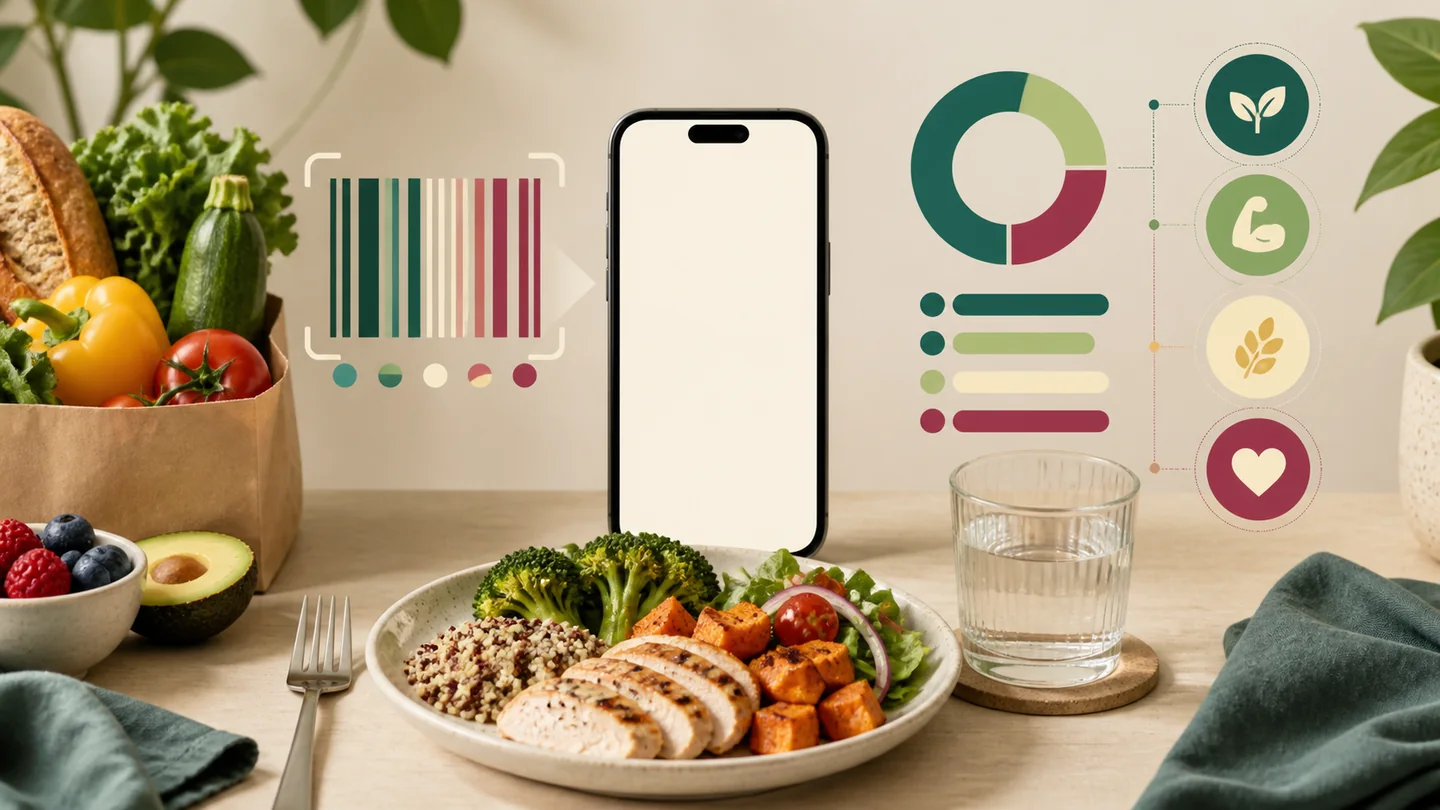
This shape is particularly useful in four kinds of routine:
- You already return to a meal diary. A large searchable food record is valuable when lunch and dinner are the entries you naturally remember to make.
- You use numbers to plan meals. Macros and water tracking can serve a person who checks daily totals rather than only adding occasional notes.
- Home recipes recur in your week. Recipe support matters more when the same home-cooked meals appear often enough to be worth saving.
- Medication is context for the day, not its primary organizer. The described GLP-1 logs work best for someone comfortable keeping dose context inside the food diary.
The common denominator is a routine you will actually revisit. If the medication event is the record you always need first, another product shape will likely feel clearer.
Limitations and tradeoffs
The food-first approach carries several costs worth considering before it becomes your default record.
- The diary leads, the dose follows. Readers who need the most prominent view to be medication timing or dose history may find the GLP-1 layer too far inside the food routine.
- Useful food data asks for repeated entries. Macros, water, saved recipes, and activity become valuable only when the inputs are regular enough to make the totals meaningful.
- The GLP-1 feature has a stated scope. The support article names U.S. English users in the app. Broad device availability does not automatically make that specific layer available to every reader.
- Commercial details are time-sensitive. Plans, paid features, compatible devices, and regional listings change. Verify them on the current product and store pages rather than treating a dated review as a price sheet.
The part worth slowing down for
The deciding tradeoff is whether food detail is worth the recording effort. List the three things you expect to look up at the end of a normal day. A combination such as meals, macros, and a recipe favors this design. A combination such as dose time, injection site, and medication history points elsewhere. Naming the lookup task before installing an app prevents you from choosing a capable tool for the wrong job.
Privacy and medical boundaries
Food histories can become surprisingly personal once they include recipes, weight, activity, medication context, and notes. Before creating an account or connecting a source, use the current App Store disclosure and provider privacy policy as the authority, then check:
- Which declared categories apply to the features you plan to use: health and fitness, contact information, identifiers, usage and advertising, analytics, and diagnostics.
- Whether any optional feature or connection changes what is collected or shared, including a health or wearable source you may connect.
- What account, export, deletion, and data-control choices are available under the current terms.
The disclosure is a starting checklist, not a substitute for the provider's current policy. Verify the choices that apply to your account before importing an established routine.
An app entry is a memory aid, not evidence of why something happened. A diary can place meals, timing, and notes next to one another; it cannot diagnose a symptom or make a medication decision. If a change concerns you, take the timing and context to a prescriber or pharmacist. A focused way to record side-effect context can make that note easier to revisit without asking the record to interpret itself.
Alternatives and next steps
Use the mismatch to choose the next comparison rather than abandoning tracking altogether:
- Medication should be the first thing you see. Look for a medication-first record, where meals and other context live around the dose history rather than the reverse.
- A full food diary is more effort than benefit. A lighter tool may better match a routine that needs an occasional meal note rather than daily totals.
- You want to compare options on the same criteria. The MyFitnessPal alternatives page contrasts entry, scope, and routine fit.
Carry only one test into the next app: after several normal days, can you retrieve the information you actually wanted without filling in gaps from memory?
Food logs in a broader routine
Keep meal and routine details together
Glowise gives you one connected place for the food, medication, water, notes, and progress records you choose to keep.
The practical takeaway
MyFitnessPal GLP-1 may suit a food-first GLP-1 record, with described features covering food and nutrition tracking plus dose logs, reminders, and side-effect records inside the daily diary. Its value depends on whether that workflow and the app's U.S. English GLP-1 availability match your situation.
The practical takeaway
Your MyFitnessPal GLP-1 checklist
- Best fit: readers whose recurring record is meals, food search, macros, recipes, water, and fitness context.
- Trial first: use real meals for several days and check whether search, scanning, and saved recipes reduce effort rather than create it.
- Verify before relying on it: U.S. English GLP-1 feature availability, current plan terms, compatible devices, privacy choices, and data controls.
Frequently asked questions
Who is MyFitnessPal GLP-1 best for?
It suits someone whose tracking routine centers on food: meal logging, food search, macros, recipes, and hydration, with GLP-1 dose logging and reminders as an added layer. Readers who want the medication event to lead the record should weigh that priority first.
What should I check before creating an account?
Confirm the GLP-1 feature's availability for your region and language, review the current subscription terms in the store listing, and use the App Privacy disclosure as a pre-account checklist: check the declared health and fitness, contact, identifier, usage and advertising, analytics, and diagnostic categories, then verify which optional features or connections apply to your account. Review current export and deletion choices in the provider's privacy policy; the store listing and provider policy remain authoritative as details change.
Can this app tell me whether a symptom is caused by medication?
No. It cannot establish causality. Use the diary to preserve dates and surrounding meal or dose context, then raise concerns with the clinician or pharmacist responsible for the medicine. The log supports recall; it does not create a medical conclusion.
When is a broader tracker comparison more useful?
Use a wider comparison before committing to a tracking center: an expansive food diary, a medication-led history, or one connected routine. That choice determines which product deserves a real-world trial.
Sources
- MyFitnessPal GLP-1 official product information — support.myfitnesspal.com/hc/en-us/articles/40936733058445-GLP-1-Support, accessed August 2026. Feature descriptions used throughout this review.
- MyFitnessPal App Store listing — apps.apple.com/us/app/myfitnesspal-calorie-counter/id341232718, accessed August 2026. Platform availability context.
- U.S. Food and Drug Administration, "Learn About Your Medicines" — fda.gov/patients/learn-about-your-medicines, accessed August 2026. Basis for the boundary between organizing records and clinical interpretation.

About the author
Maya Lee
Glowise Senior GLP-1 Content Editor
Maya Lee is a Glowise Health Content Editor. Her guides turn product records, authoritative sources, and everyday organization questions into clear, practical GLP-1 information.
She helps readers ask better questions and keep the details relevant to a care conversation together.
See more Glowise on Google
Add Glowise as a preferred source to find our GLP-1 guides more easily in Google Search.