Tracking calories on a GLP-1 medication can answer two different questions:
- How much am I eating compared with a target I already have?
- Has my intake changed more than I realized as my appetite changed?
Those are both reasonable jobs for a food log. Neither requires pretending every meal has an exact calorie count.
GLP-1 and related medications can affect appetite, food intake, and fullness. For people using GLP-1 therapy for obesity, a 2025 joint nutrition advisory from four professional organizations recommends reassessing dietary intake and hydration during treatment and specifically names food logs or food photos as possible tools. The same advisory also stresses nutrition quality and individual tolerance, not calories alone.
This guide shows how to build a usable estimate from the food you actually ate. It does not set a personal calorie target. Medication name and dose are not enough to determine one; your health history, body size, activity, goals, and clinical needs matter too.
First decide whether calorie tracking has a job
You do not have to count calories simply because you use a GLP-1 medication. Tracking is useful when the result will change a practical decision.
It may help if you want to:
- compare your actual intake with a target discussed with a clinician or registered dietitian;
- find out whether low appetite has quietly turned into skipped meals or very light days;
- understand why weekdays and weekends feel different;
- bring a concrete seven-day record to a care appointment; or
- learn the portions in meals you eat often, then track less intensively later.
It may be the wrong tool if logging makes you anxious, encourages you to chase the lowest possible number, or adds more burden than useful information. A simple meal-and-appetite record may serve you better. If you have a history of disordered eating, ask a qualified professional whether numerical tracking fits your care.
A practical hierarchy for calorie estimates
Use the best available source, then move on. In descending order of specificity:
- The package label for the exact product. Check both calories per serving and servings per container.
- The restaurant's published nutrition information. Use it for the listed item and size, then account for modifications when you can.
- A recipe calculated from its ingredients and the portion of the finished dish you ate. This works well for meals you repeat.
- USDA FoodData Central or a close database match. Choose the food and preparation method that most closely resembles yours.
- A rough comparison with a similar meal. Save it as an estimate rather than inventing precision.
The USDA describes FoodData Central as a source of food composition data. It is useful for individual foods, but it cannot know how much oil went into a restaurant pan or how large your particular serving was. The database can be sound while your portion estimate remains approximate.
Step 1: Record what you actually finished
Write down the food and the amount eaten, not the amount served.
- “Turkey sandwich” is a start.
- “Half of a turkey sandwich on two slices of bread with mayo” is more useful.
- “A palm-sized piece of chicken” or “about one cup of soup” is adequate when weighing is unrealistic.
Low appetite makes this distinction especially important. If you served a full bowl and ate one-third, logging the full bowl hides the change you are trying to understand. Partial meals still belong in the record.
Step 2: Calculate packaged foods from servings eaten
The common mistake is copying the calories on the label without checking what those calories describe.
Use this calculation:
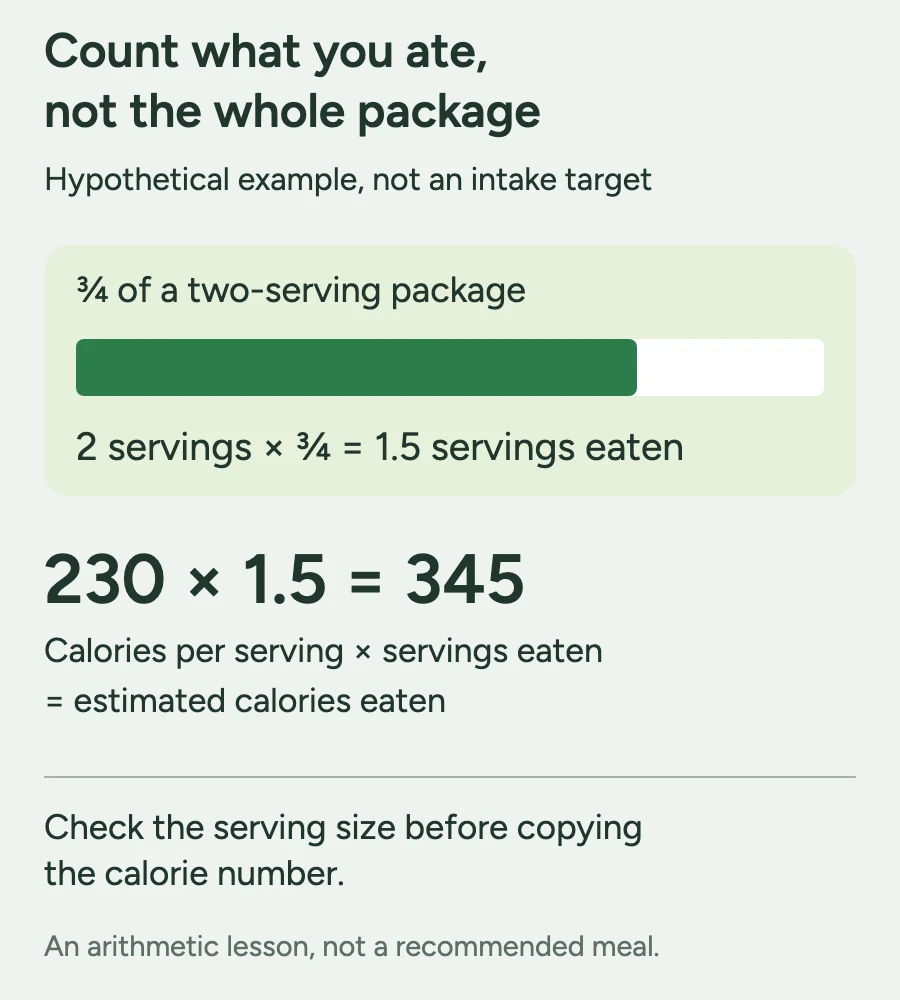
calories per serving × servings eaten = estimated calories eaten
For example, imagine a package lists 230 calories per serving and contains two servings. If you eat three-quarters of the package, you ate 1.5 servings:
230 × 1.5 = 345 calories
This is one place where a little precision is worthwhile because the label and portion are both available. It also prevents the opposite errors of counting an entire multipack as one serving or counting one serving when you ate only part of it.
Step 3: Build home-cooked meals once, then reuse them
For a mixed dish, estimate the whole recipe and divide by the amount it makes.
Suppose a pot of chili contains beans, meat, tomatoes, vegetables, and oil and makes six similar bowls. Add the calories for the ingredients used, divide by six, and save that as your standard bowl. If your bowl is clearly smaller or larger next time, adjust it rather than rebuilding the recipe.
The ingredients most often lost from memory are the ones added during cooking or at the table: oil, butter, dressing, cheese, cream, sauces, and sweetened drinks. Include them when they materially change the meal. There is no benefit in spending ten minutes accounting for a pinch of herbs.
Repeated meals are where tracking becomes easier. After you have estimated your usual breakfast or lunch once, save the combination and edit only what changed.
Step 4: Treat restaurant meals as ranges, not lab results
If a restaurant publishes nutrition information for the exact item, use it. Otherwise, choose a close match and mark the entry as estimated.
For a mixed restaurant plate:
- break it into the main components you can see;
- estimate the portion you ate of each;
- include obvious oils, sauces, or toppings;
- use a range when preparation is genuinely uncertain.
A range such as “roughly 650–800” is more honest than “713” when you do not know the recipe. For a weekly review, consistency usually matters more than false precision: use the same reasonable method for similar meals instead of switching between the lowest and highest database match.
Step 5: Use photos as capture, not proof
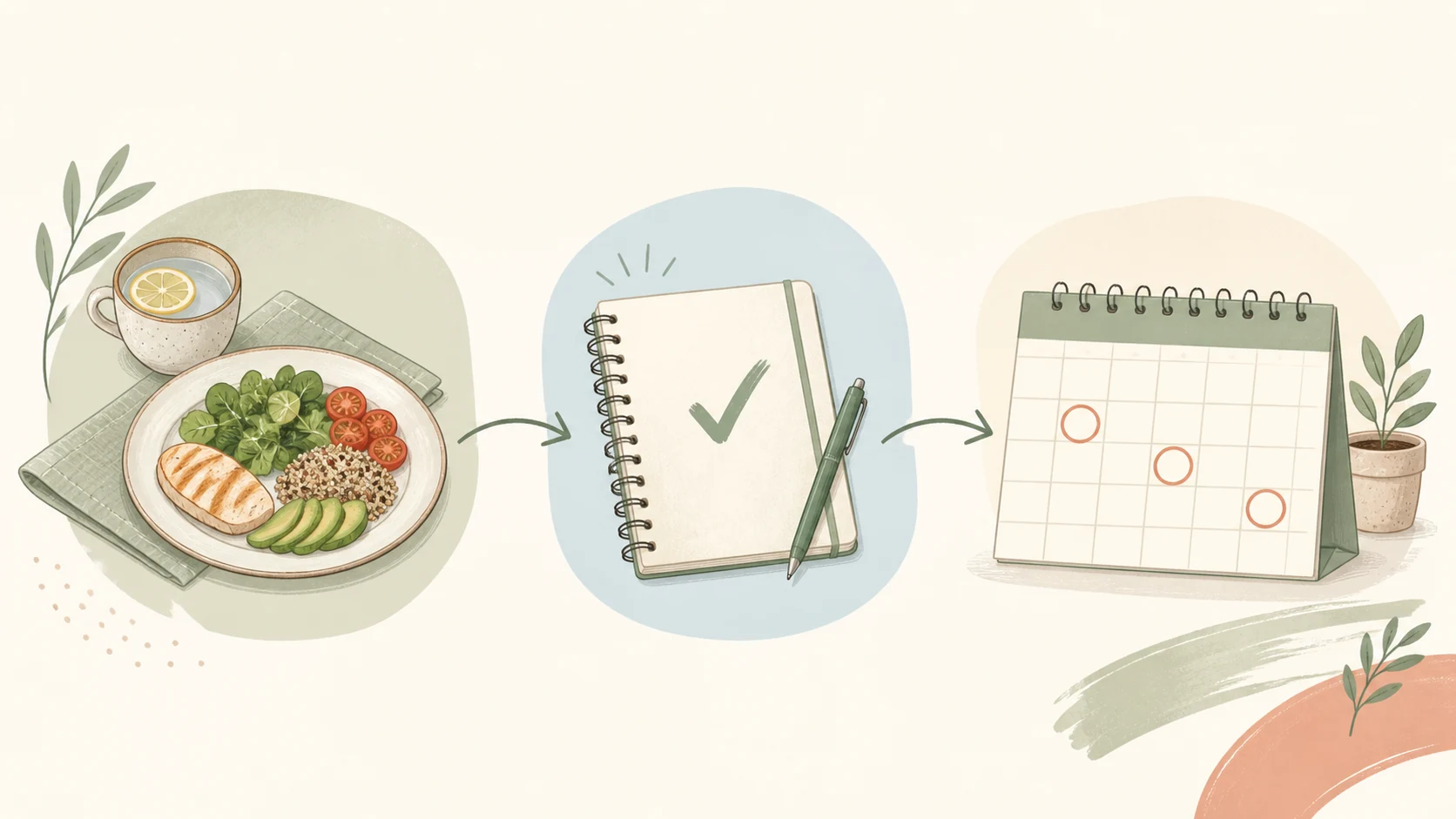
A photo is useful when you cannot log at the table. Photograph the meal, add a few words such as “chicken wrap, chips, ate half,” and estimate it later.
Food-photo tools can reduce the effort of creating an entry, but a photo cannot reveal every ingredient or measure an unseen amount of oil. Treat an automated estimate as a starting point you can correct, not a clinical measurement.
This is also why the best tracking method is often a combination:
| Situation | Fastest reliable capture |
|---|---|
| Packaged snack | Scan or search the product, then confirm the label and serving |
| Familiar breakfast | Reuse a saved meal and adjust the portion |
| Home-cooked mixed dish | Save the recipe and number of servings |
| Restaurant meal | Use published nutrition or a comparable item |
| Meal you cannot log now | Take a photo plus a short portion note |
Step 6: Add the context that makes the number interpretable
A calorie total cannot tell you why intake changed. Add one short note when it explains the day:
- “not hungry at lunch”;
- “felt full after half”;
- “nauseated after dose day”;
- “late meeting, missed snack”; or
- “restaurant portion, estimate.”
Protein, hydration, meal timing, and symptoms may also be worth tracking, but only if the fields support a decision or care conversation. Within its GLP-1 obesity-treatment scope, the joint nutrition advisory notes that reduced appetite can make adequate nutrient intake harder and recommends ongoing assessment of intake and hydration. It does not mean that a calorie app can diagnose a deficiency or tell you what a symptom means.
Step 7: Review the week before changing the plan
Do not redesign your eating routine in response to one high or low day. First check whether the log is complete enough to interpret.
At the end of seven days, ask:
- Were any meals or drinks regularly missing from the record? Fill obvious gaps before trusting the totals.
- Which estimates were most uncertain? Restaurant meals and shared dishes deserve less confidence than labels.
- Did intake look different on dose days, workdays, or days with symptoms? A pattern is more useful than an isolated number.
- Were very light days intentional, or did they happen because eating became difficult? That distinction matters in a care conversation.
- What is one change worth testing? It might be preparing an easy lunch, logging immediately after dinner, or asking for individualized guidance.

If you repeatedly cannot eat or drink enough, or nausea, vomiting, diarrhea, constipation, weakness, dizziness, or other symptoms concern you, contact your prescriber or another qualified healthcare professional. A food log can show timing and context; it cannot determine the cause or whether your medication should change.
How accurate does calorie tracking need to be?
Accurate enough for the decision you are making.
If you are learning whether a packaged breakfast is 250 or 600 calories, checking the label carefully can change the answer. If you are trying to decide whether a restaurant dinner was 742 or 781 calories, the extra precision is probably fictional.
Three habits improve a log more than chasing perfect numbers:
- record all major items, including drinks and cooking fats;
- use the same portion method for foods you repeat; and
- mark uncertain entries so you remember their limits.
An estimate can still reveal that meals have become smaller, lunch is repeatedly missed, or weekend intake differs from weekdays. It should not be used to grade a single meal or prove that a symptom came from too many or too few calories.
Where the calculator and Glowise tracker fit
This article owns the educational task: how to create and interpret a calorie record. The separate Calorie & Macro Calculator can provide an equation-based starting estimate if you want a number to discuss with a qualified professional. It is a tool, not an individualized prescription.
If you prefer to keep meals, protein, water, appetite or fullness, and notes in one place, the Glowise Food & Protein Tracker is the adjacent logging option. Glowise records the goals and context you choose; its product page does not claim to prescribe a calorie or protein target.
The practical takeaway
A workable GLP-1 calorie log
- Decide what question the log needs to answer before adding fields.
- Record the portion actually eaten, including partial meals.
- Prefer exact labels, published restaurant data, saved recipes, and USDA data in that order.
- Use ranges for uncertain restaurant and mixed meals instead of false precision.
- Add appetite, fullness, timing, or symptom context when it explains the entry.
- Review patterns across a week and bring concerns about low intake or symptoms to a qualified professional.
Frequently asked questions
Do I have to count calories while taking a GLP-1 medication?
No. Calorie tracking is one optional way to answer a specific question about your intake. Some people need a numerical record for a target they already have; others get more value from tracking meals, protein, hydration, appetite, or symptoms without a calorie total.
How do I track calories when I only eat part of a meal?
Estimate the portion you actually finished. If you ate half a labeled meal, record half the listed servings. For an unlabeled meal, note the fraction or describe the portion and use a close database or restaurant match.
Are food-photo calorie estimates accurate?
They are estimates. A photo can help identify visible foods and approximate portions, but it cannot reliably reveal every ingredient, cooking fat, or recipe. Review the result and correct obvious errors.
What if I do not know my calorie target?
You can still log a typical week to understand your current pattern. If you want a personal target, discuss your health history, goals, activity, and medication context with a qualified healthcare professional or registered dietitian rather than copying another person's number.
Should I track protein and water too?
They can add useful context, especially if appetite has changed, but you do not need to track every field. Choose the details that support a real decision or care conversation.
Sources

About the author
Maya Lee
Glowise Senior GLP-1 Content Editor
Maya Lee is a Glowise Health Content Editor. Her guides turn product records, authoritative sources, and everyday organization questions into clear, practical GLP-1 information.
She helps readers ask better questions and keep the details relevant to a care conversation together.
See more Glowise on Google
Add Glowise as a preferred source to find our GLP-1 guides more easily in Google Search.